The Pokédex lets you view everything about every Pokémon — data, stats, weaknesses, and the moves they learn — all in a single list. I couldn't find a site like this anywhere, so I built it myself.
What makes it special
1. Detailed analysis
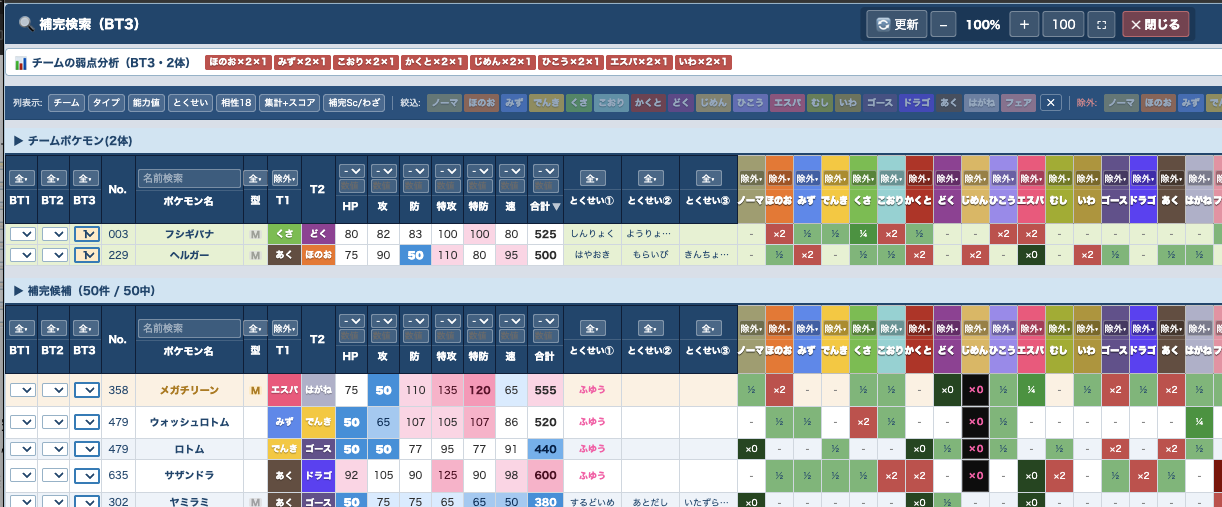
See the total number of weaknesses, plus which types you resist or are immune to, at a glance. From this it derives a "bulk score" and "weakness score" — helping you judge whether a Pokémon is at a disadvantage with many weaknesses despite high stats, or is bulky and hard to take down.
2. Advanced filtering
Because move data is included too, you can search Pokémon by combined conditions. For example, narrow down to Pokémon that learn Taunt and are faster than yours. You can also easily find Pokémon with healing moves, Whirlwind, and more.
3. Team-building support
Pick candidate Pokémon for a Battle Team and it will automatically suggest well-matched partners that cover each other's weaknesses. The steps below explain how.
Together, these features make it highly effective for assembling a team — an ideal data list for building your Battle Team.
How to use it (Battle Team feature)
1Register Pokémon to a team
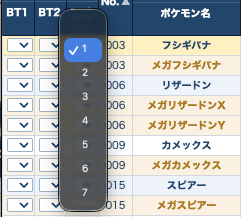
Next to each Pokémon's name are the BT1, BT2, BT3 columns. Pick a number from 1 to 7 in a BT column to add that Pokémon as a candidate for that team. (The numbers 1–7 are candidate slots for team building.)
2Find partners with Coverage Search
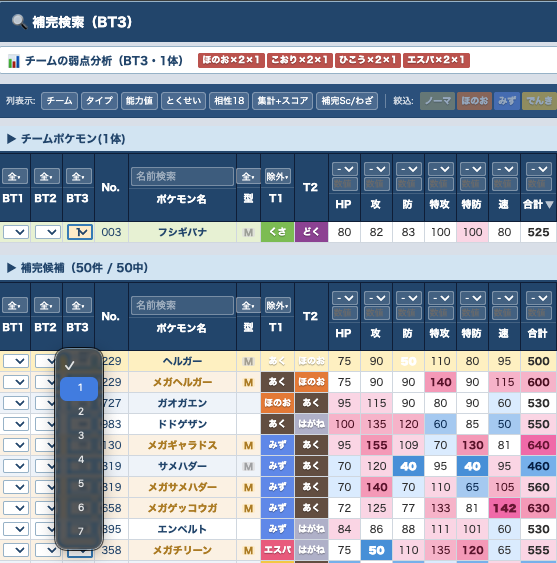
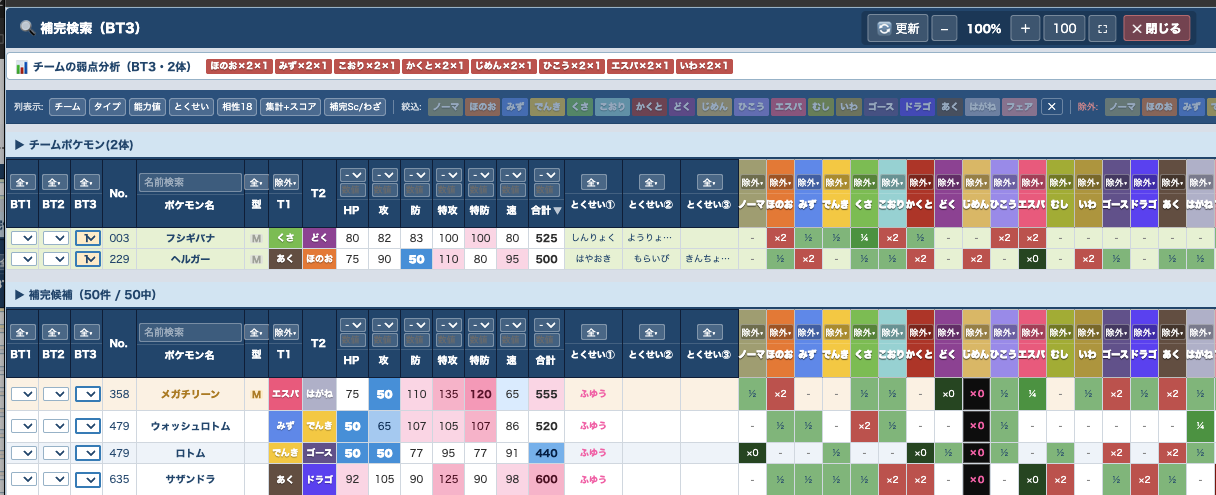
Open the coverage-search window from the Coverage ①/②/③ buttons. It suggests Pokémon whose typing covers the weaknesses of the Pokémon you checked into a BT. Check the BT1–3 numbers on the candidates to build your team.
3Update to add to your team
In the candidate list at the bottom, check the BT column for the Pokémon you want to add. Press the Update button at the top: the selected Pokémon are added to the team list above and fresh coverage candidates are recalculated.
4Reset
To clear all checks in a BT column, click the BT1 / BT2 / BT3 reset buttons. Pressing All resets everything except the BT entries (filters, etc.); your BT registrations are kept.
